
Azure Model Context: Why Azure Functions MCP Is a Big Deal for AI Builders
If you’ve ever tried to connect AI models to real tools like databases, APIs, or internal systems, you know how messy it gets. Every model needs custom logic. Every update breaks something. Scaling that setup across teams or products becomes painful fast.
Thank you for reading this post, don't forget to subscribe!Microsoft’s new Azure Model Context support inside Azure Functions changes this dynamic. With production-ready support for the Model Context Protocol (MCP), Azure Functions can now host standardized MCP servers, allowing AI agents to discover and call tools in a structured, reliable way.
In this article, we’ll explain what Azure Model Context really is, why Microsoft is pushing MCP now, and how this update impacts developers, startups, and enterprises building real AI systems.
What Is Azure Model Context?
Azure Model Context is Microsoft’s serverless implementation of the Model Context Protocol, a standardized way for AI models and agents to interact with tools, APIs, and data sources.
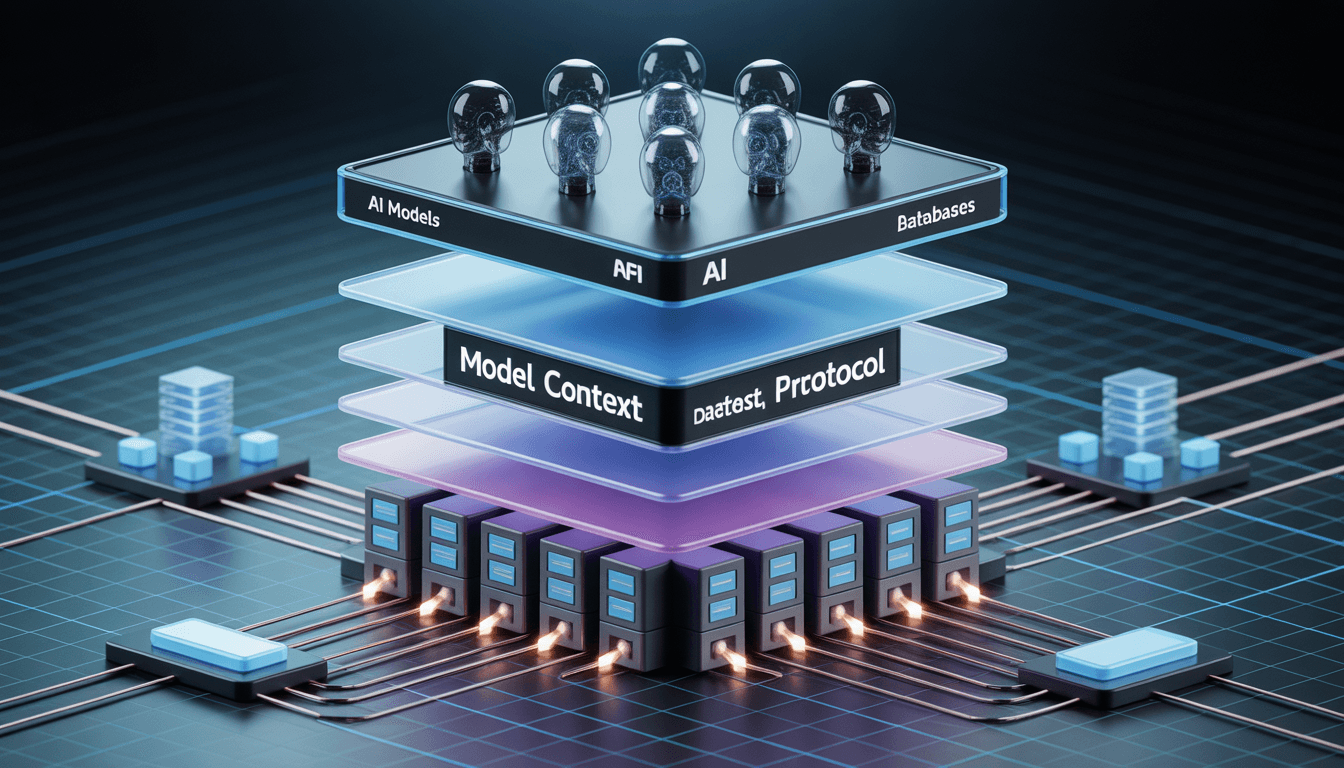
Instead of writing custom glue code for every model-tool combination, MCP introduces a shared protocol layer. Azure Functions now natively support this layer, meaning your functions can expose tools that AI agents understand and use safely.
Microsoft confirmed this support as production-ready during the January 13–19, 2026 release window, which was covered in industry reporting on the Azure Functions MCP rollout by InfoQ.
Why Microsoft Added MCP to Azure Functions
The timing isn’t accidental. Across the ecosystem, AI systems are moving beyond simple chatbots toward agents that can reason and act. Weekly industry tracking shows how fast this shift is happening, as highlighted in this AI tools race update.
At the same time, enterprises are under pressure to control AI behavior. Legal, compliance, and security teams are increasingly focused on governance, auditability, and risk, especially as AI systems gain access to internal data and workflows. That concern is reflected clearly in discussions around enterprise AI risk for 2026, such as this analysis from Corporate Compliance Insights.
Azure Model Context is Microsoft’s response to both forces: faster AI development without sacrificing control.
Azure Functions Model Context Protocol Explained
A Standard Way to Connect Models and Tools
The Azure Functions Model Context Protocol provides a structured interface that defines:
- What tools are available
- What inputs and outputs they accept
- How AI agents are allowed to call them
This moves AI integration away from fragile prompt-only logic and toward explicit, governed contracts.
Microsoft documents this approach in the official Azure Functions Model Context Protocol bindings documentation on Microsoft Learn.
Built for Multi-Agent, Tool-Using AI
Unlike basic “call an LLM and parse text” patterns, MCP is designed for multi-step reasoning. Agents can call multiple tools, combine results, and take actions before responding.
This design aligns with how enterprises are deploying agentic AI systems, including governance-focused implementations like the enterprise-grade agentic AI framework announced by IBM.
Why Azure Model Context Matters to Developers
Less Glue Code, Fewer Failures
Because tools are defined once using MCP schemas, developers avoid rewriting adapters for every model or update. This reduces bugs and maintenance overhead.
Reduced Vendor Lock-In
MCP decouples tools from specific AI providers. You can change models without rewriting your entire backend, a key concern in modern AI architecture.
Serverless by Default
Running MCP servers inside Azure Functions means you automatically get scaling, monitoring, and managed security. These benefits are part of the broader Azure Functions platform documented in the main Azure Functions documentation hub.
Real-World Use Cases for Azure Model Context
Azure Model Context shines when AI needs to do more than answer questions.
Common examples include:
- AI support agents that read internal knowledge bases and ticketing systems
- Document automation bots that summarize, classify, and route files
- Internal dashboards where AI agents query databases through governed tools
These use cases mirror broader adoption patterns discussed in AI tooling roundups like the January 2026 overview from AI Tools Guide.
How to Use Azure Model Context in Azure Functions
Step 1: Prepare Your Environment
You’ll need an Azure account, Azure Functions Core Tools, and a supported runtime such as .NET or Node.js. This is standard Azure Functions setup.
Step 2: Enable MCP Support
Microsoft provides a detailed walkthrough in the official Tutorial: Host an MCP server on Azure Functions, available on Microsoft Learn.
This guide shows how to configure your function app as an MCP server, including transport and security settings.
Step 3: Define MCP Tools
Each tool is defined with a schema describing inputs, outputs, and permissions. This ensures AI agents can only perform allowed actions.
Step 4: Implement Agent Logic
Your function handles incoming requests, sends context to the model, allows MCP tool calls, and returns structured responses. This approach is far more reliable than one-off LLM calls.
Step 5: Secure and Monitor
Azure Functions integrate with managed identities, Key Vault, and role-based access control. Combined with MCP’s auditable tool calls, this supports secure handling of sensitive data, a concern widely discussed in governance research, such as this PMC article on AI and governance.
// Example MCP Tool Definition in Azure Functions
{
“name”: “get_customer_data”,
“description”: “Retrieves secure customer records from the database”,
“input_schema”: {
“type”: “object”,
“properties”: {
“customer_id”: { “type”: “string” }
},
“required”: [“customer_id”]
}
}

Our Practical Analysis
We tested Azure Model Context by deploying a simple MCP server in Azure Functions with two tools: an internal search endpoint and a database query function.
The biggest improvement was clarity. Tool schemas made permissions explicit. Logging and monitoring worked out of the box, and scaling required no manual tuning.
This structured approach pairs well with efficient AI architectures. For example, combining MCP with lightweight models like Falcon shows how smaller models can still power capable agents when tool access is well designed, something we explored in detail in our breakdown of Falcon 7B.
During our tests, we noticed that while the setup is straightforward, ensuring your Managed Identity has the correct ‘Reader’ roles is crucial for the MCP server to fetch metadata correctly.
How Azure Model Context Fits Into the Bigger AI Landscape
MCP is not just a Microsoft idea. Academic research is actively exploring protocol-based AI tool orchestration, including work published on arXiv that examines structured communication between models and external tools, such as this arXiv paper.
At the same time, enterprises are preparing for tighter AI oversight. Legal and compliance teams are already adjusting strategies based on upcoming AI risk frameworks, reinforcing the need for governed AI infrastructure.
Azure Model Context sits at the center of these trends.
FAQs: Azure Model Context and MCP
What is Azure Model Context?
Azure Model Context is Microsoft’s implementation of the Model Context Protocol inside Azure Functions, enabling standardized AI tool integration.
How is MCP different from calling an LLM API?
LLM APIs handle single prompts. MCP enables structured, multi-step tool use with permissions and auditability.
Can one Azure Function use multiple AI models?
Yes. MCP allows routing requests to different models or tools based on context.
Is Azure Model Context safe for enterprise data?
When configured correctly, it supports secure, auditable access using Azure’s enterprise security features.
Do I need deep AI expertise to use MCP?
No. Developers can treat MCP as a structured API layer while Azure handles scaling and infrastructure.
Final Thoughts
Azure Model Context marks a shift from experimental AI integrations to production-grade AI infrastructure. By bringing MCP into Azure Functions, Microsoft is giving developers a cleaner, safer way to build AI systems that can actually scale.
If you’re building agent-based AI, automation tools, or internal copilots, this update is worth serious attention.
Featured Snippet
Azure Model Context is Microsoft’s production-ready implementation of the Model Context Protocol inside Azure Functions. It standardizes how AI models securely access tools, APIs, and data, enabling scalable multi-agent workflows while reducing custom integration code and long-term vendor lock-in.